Trading Indicators That Connect Your Charts to Your Journal

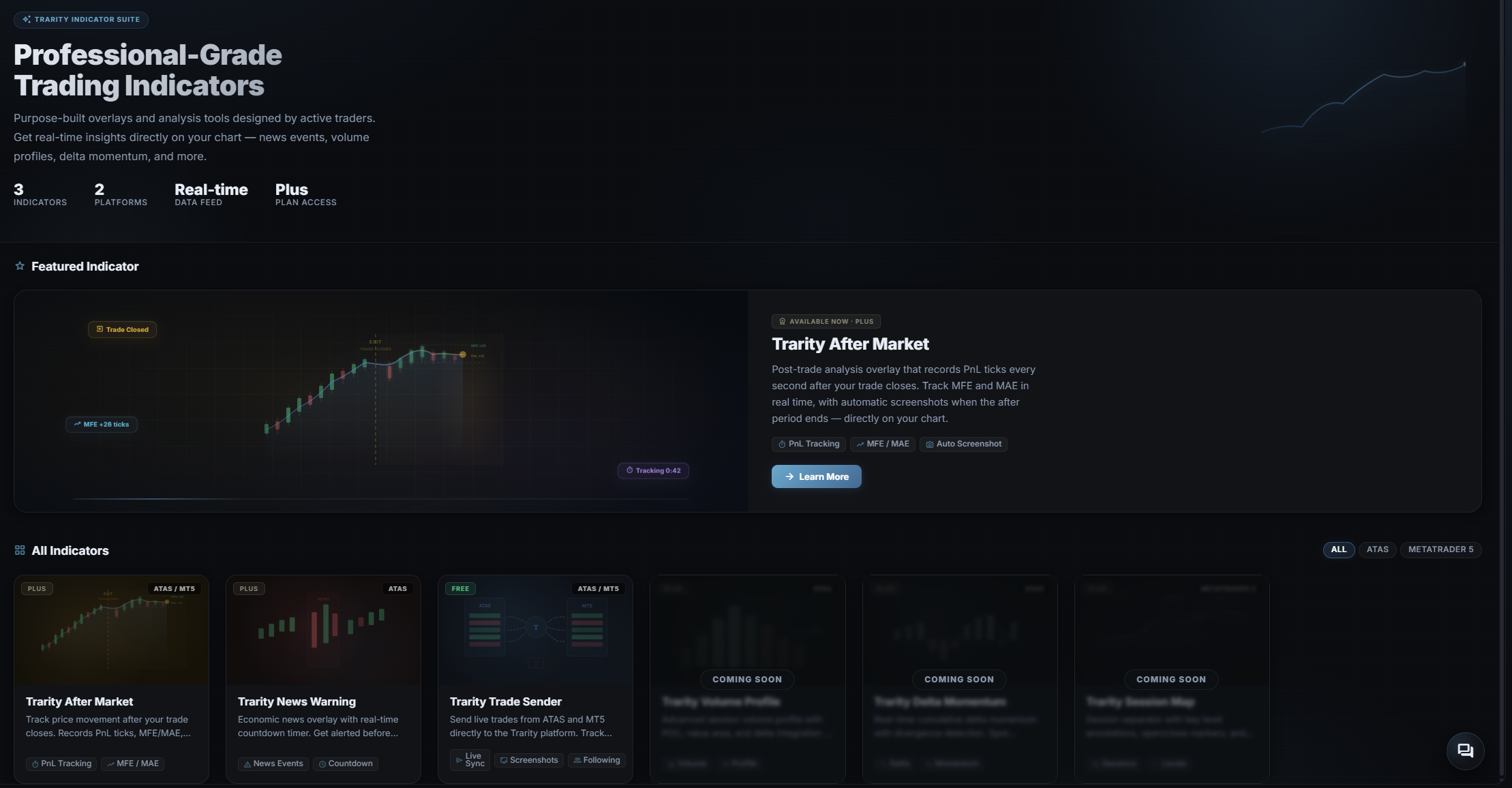
Trarity offers three chart indicators that connect your trading platform to your journal. The Trade Sender relays every trade execution in real time, the After Market indicator tracks what happened after you closed, and the News Warning overlays economic events on your chart. Together they capture market context, automatic screenshots, and trade signals so you can send trades to journal without manual effort. Currently available for ATAS with MetaTrader 5 and NinjaTrader support via the Trade Sender.
Start Tracking for Free Full access for 30 days · No credit card required
Trarity chart indicators and trading journal dashboard
3
Chart Indicators
5+
Platforms
Auto
Screenshot Capture
Live
Trade Tracking

Trade Sender — Automatic Trade Tracking

The Trarity Trade Sender is a trade tracking indicator that runs on ATAS, MetaTrader 5, and NinjaTrader. It detects every trade execution on your chart and sends it to your trading journal in real time — no manual entry, no CSV exports. Configure account tracking mode to follow a single account or all accounts trading the same instrument, and capture automatic screenshots on every trade.

  • check_circleSends trades from ATAS, MT5, and NinjaTrader to your journal in real time
  • check_circleAutomatic screenshot capture with three modes: full screen, platform only, or chart only
  • check_circleChartAccountOnly or Following mode for multi-account setups
  • check_circleWorks on all instruments and timeframes
  • check_circleFree for all Trarity users — no paid plan required
See how trades appear in your journal arrow_forward
ATAS MT5 T
Free ATAS / MT5 / NT8

After Market — Post-Trade Analysis on Your Chart

The After Market indicator shows what happened after you closed a trade. It tracks post-close price movement, calculates P&L from your exit, and records Maximum Favorable Excursion (MFE) and Maximum Adverse Excursion (MAE). A HUD overlay on your chart displays the data in real time, and an automatic screenshot is captured for your review. Use it to grade your exits and find patterns in how much you leave on the table.

  • check_circleTracks price movement after every closed trade
  • check_circleCalculates post-close P&L, MFE, and MAE automatically
  • check_circleHUD overlay displays after-trade data directly on the chart
  • check_circleAutomatic screenshot captured at the end of the after period
  • check_circleGrades your exits so you can refine your closing strategy
See how exit data improves your analytics arrow_forward
EXIT TRADE CLOSED MFE +26 PnL +14
Plus ATAS / MT5

News Warning — Economic Event Overlay

The News Warning indicator paints directly onto your ATAS chart as a background overlay, highlighting upcoming economic events with colour-coded impact zones. A built-in countdown timer shows the time remaining until the next high-impact release — NFP, CPI, FOMC, and others sourced from the Forex Factory calendar. Filter by impact level and currency so only the events relevant to your trading session are displayed.

  • check_circleReal-time countdown to the next high-impact economic event
  • check_circleColour-coded background zones by impact severity
  • check_circleFilter by impact level (Low / Medium / High) and currency
  • check_circleCustomisable lookback and lookahead windows
  • check_circleLightweight overlay with minimal performance impact
NEWS
Plus ATAS

Supported Platforms

Trarity chart indicators currently support ATAS with more platform integrations coming soon.

ATAS

All three indicators available: Trade Sender, After Market, and News Warning. Full ATAS indicator integration with automated trade tracking, screenshots, and real-time sync.

MetaTrader 5

Trade Sender indicator available for automated trade tracking. After Market and News Warning coming soon.

NinjaTrader

Trade Sender indicator available for automated trade tracking.

TradingView

Import via CSV. Indicator integration planned.

More Coming

We're building indicator support for additional platforms. Join the community to request yours.


Frequently Asked Questions

Trarity currently offers three chart indicators: the Trade Sender for automatic trade tracking, the After Market indicator for post-trade analysis and exit grading, and the News Warning for economic event overlays with countdown timers. They run on your charting platform and send data, screenshots, and market context to your trading journal.
ATAS supports all three indicators: Trade Sender, After Market, and News Warning. MetaTrader 5 and NinjaTrader support the Trade Sender. More platform integrations are coming soon, and all platforms already support trade import.
Yes. Trarity captures automatic screenshots at entry and exit, preserving full chart context and overlays so your trade review workflow is complete.
The Trade Sender indicator detects every trade execution on your chart and sends it to Trarity in real time. You can configure it to track a single account or follow all accounts trading the same instrument. Each trade can also trigger an automatic screenshot.
Yes. Structured indicator and trade signal data makes coaching more precise. Learn more on the AI Trading Coach page.
You get full access for 30 days with no credit card required, so you can test the full trading indicators workflow before committing.

Connect Your Charts to Your Journal

Start using chart indicators to capture trade context, screenshots, and market data - all synced to your journal automatically.

Start for Free
Trading Journal arrow_forward Trading Analytics arrow_forward Trade Labeling arrow_forward AI Trading Coach arrow_forward